About the Partner List
The Partner List (aka Partner Setup table) in Transaction Manager links a trading partner to corresponding accounts in your business system. This information is critical to ensure transactions integrated with your business system are created under the correct accounts, and that outbound transactions are created for the appropriate trading partner.
Note that each trading partner has its own partner list containing one or more names (partner codes) for associated accounts. The partner codes listed here must be identical (case, spelling and space sensitive) to those used by the business system. Also, you cannot create a new partner code that is already in use with another trading partner.
To access the Partner List, select a trading partner and then click Partner List on the Translations dropdown menu. This launches the Partner Setup comprising three collapsible sections: Step 1: Business System Codes, Step 2: Translation Parameters, and Step 3: Translation Values.
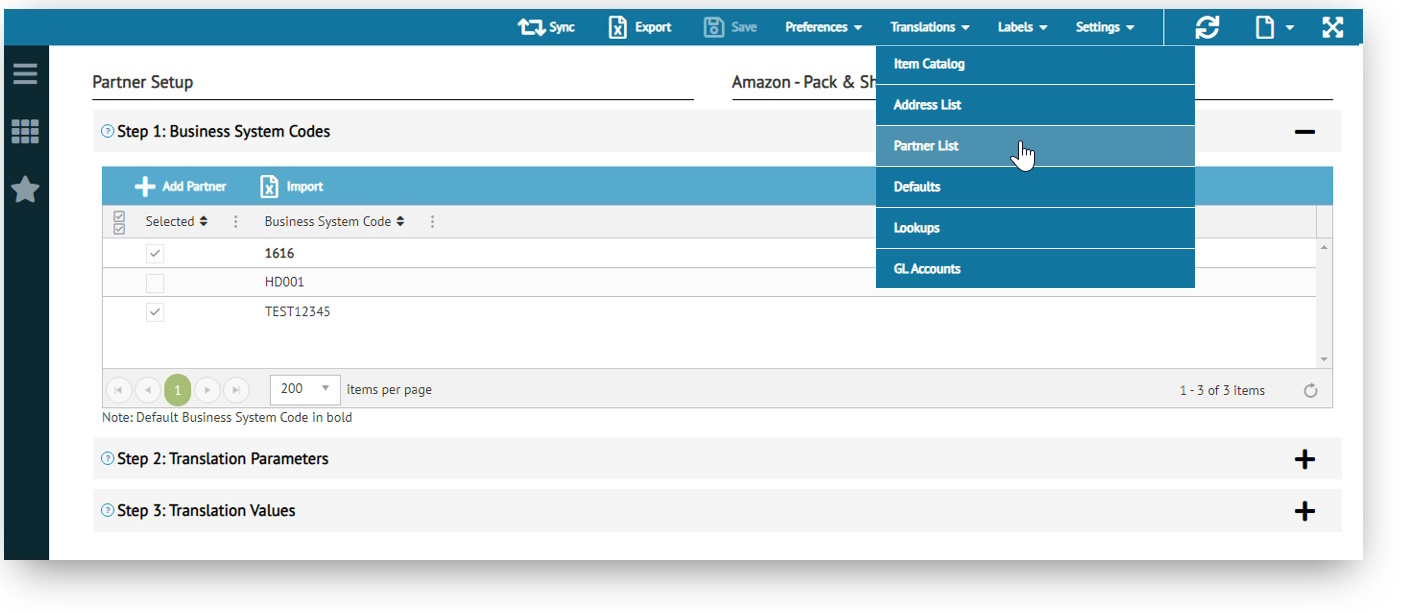
Note that this information can also be accessed via the Tools menu in Transaction Details.
Using this Feature
When a transaction is exported from Transaction Manager to your business system, the Partner List will be used to identify which trading partner account the transaction belongs to.
This is also the case for importing transactions from your business system into Transaction Manager. Ensure that the partner code is listed so that it shows up during an Import Search.
If you have multiple accounts for a trading partner in your business system, you can easily add multiple partner codes to the list. This is called a multipartner setup where a translation parameter (common variable such as the store number, vendor, bill to code, or ship to code) is used to identify each of the partner codes.
What can I do?
Related Topics
eLearning Resources