Exporting Transactions via FTP
In order to export a transaction via FTP, a cloud flat file will first need to be set up in the BSP. See Cloud Flat File Business System Setup.
|
NOTE IF the Framework Integration fails, the flat file export will not occur. |
To export transactions via FTP:
-
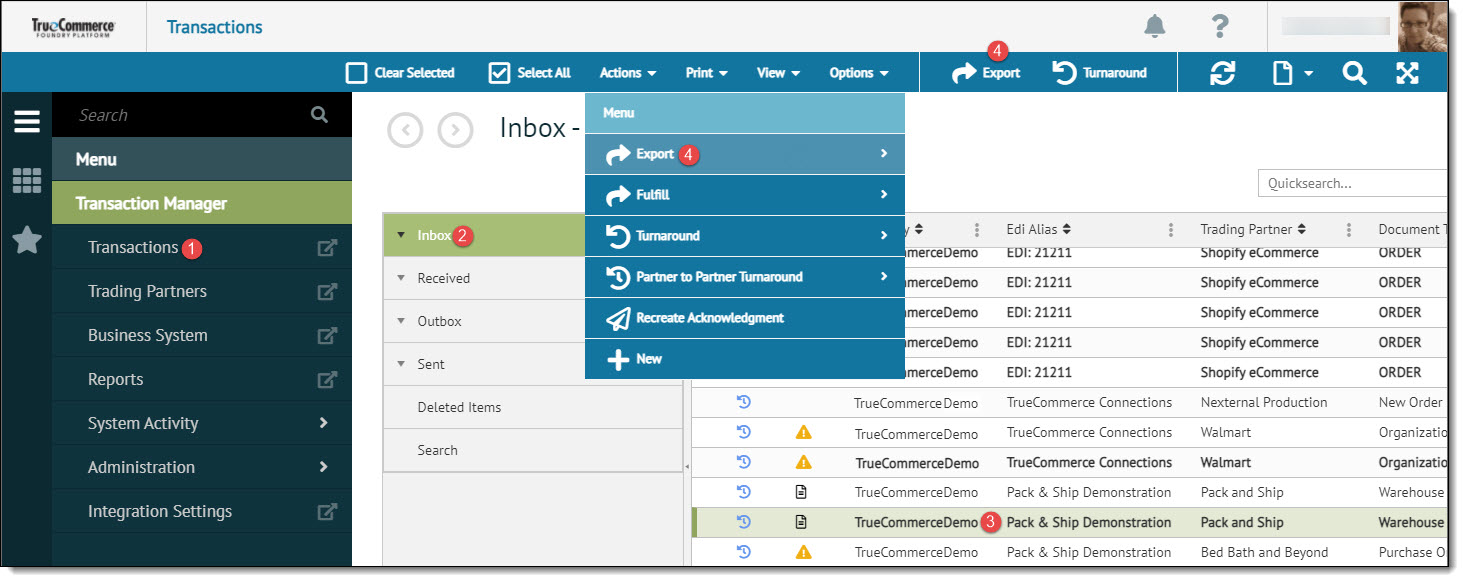
Select Transaction Manager > Transactions on the Foundry Menu to launch the Transactions workspace.
-
Select Inbox from the Folders menu and then select one or more transactions to be exported. Data selection methods are outlined under 'Working with Grids' in the Platform User Guide.
-
Click Export on the action bar. Otherwise, select Export from the Actions dropdown options and choose from Standard Export or Asynchronous Export to export the selected transactions.
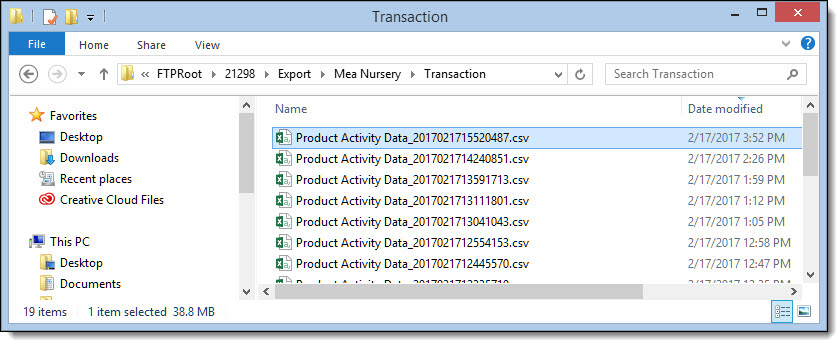
The transaction will then be exported to the FTP location designated in the Business System setup.
Related Topics